How I Hermes

In January this year, OpenClaw went viral. You probably heard about it. My guess is some of you even use it - or at least tried to. I certainly did.
I remember it clearly. I installed it, and very quickly noticed I was now spending time debugging a cron job created by an AI agent - in what looked like a pretty messy code base. Quickly deleted it after that episode.
A couple months later I decided to download Hermes Agent. I must admit, I've been using it pretty much every day since then. I was hooked. Let's talk about it.
What the Hermes Agent is, and isn't
Nous Research is a research lab that first got popular by building uncensored models. After the OpenClaw boom, they launched their own version of it: Hermes Agent. An always-on agent that runs on your computer and can act as your personal assistant. It's like a ChatGPT that has 24/7 access to your computer, can read/edit files, can browse the web, can write code, etc. You talk to it via the terminal, a web interface, messaging apps (Telegram, WhatsApp), or even a desktop app.
Once you install it, you configure the agent by creating (or installing) skills. More on that below.
Hermes is not a plug-and-play experience. Do not expect to just install it and be amazed. You can even follow a tutorial and still not get much out of it. You need to make it your own. You need to spend a considerable amount of time doing it. It reminds me a bit of Vim.
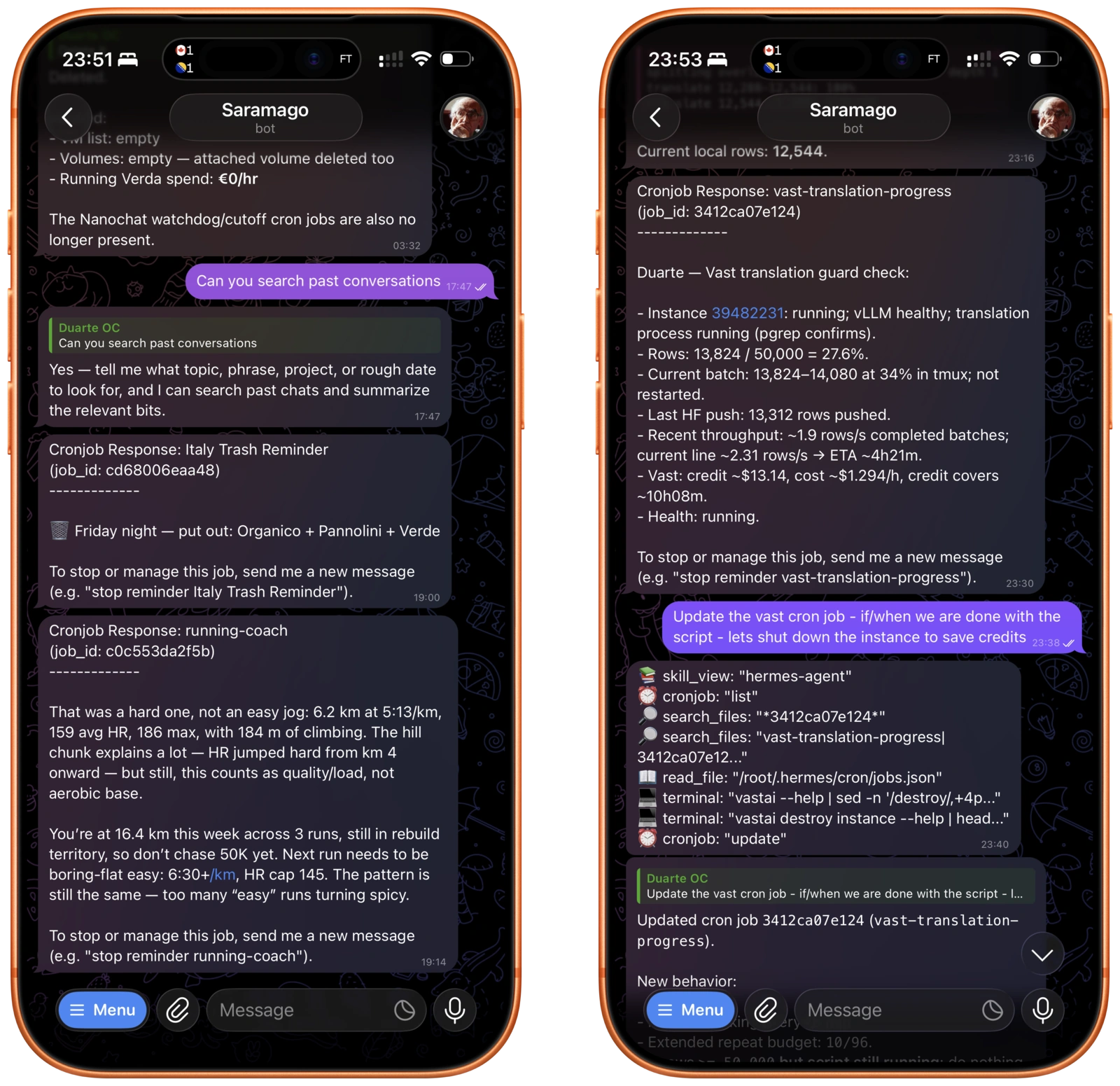
My agent setup: Saramago
There's a pretty recent meme of programmers leaving their laptops open.. I don't like to keep my computer open in random places. I'm also not particularly interested in having an agent running freely inside my main machine.
Fortunately, for the past 5 years, I've been running most of my remote computing on a refurbished Hetzner server. For a fixed monthly price, I have my own Debian machine that is available 24/7. This is where Saramago (yes, I gave him a name) runs.
To keep things simple and reliable - I talk to Saramago via Telegram. I've heard WhatsApp is a bit flaky. And streaming message support in Telegram is great!
Right now, Saramago runs primarily on three models. DeepSeek V4 (flash or pro depending on task complexity) - through the official DeepSeek API, which is dirt cheap. For the most important things - I run GPT 5.5 via my Codex subscription. I tend to experiment every now and then with new models and see how they perform. I would also love to tell you the story of how I use a fully local, private, open-source model, but we're not there yet.
Enough babbling. What about use cases?
Use case 1: Coding on the go
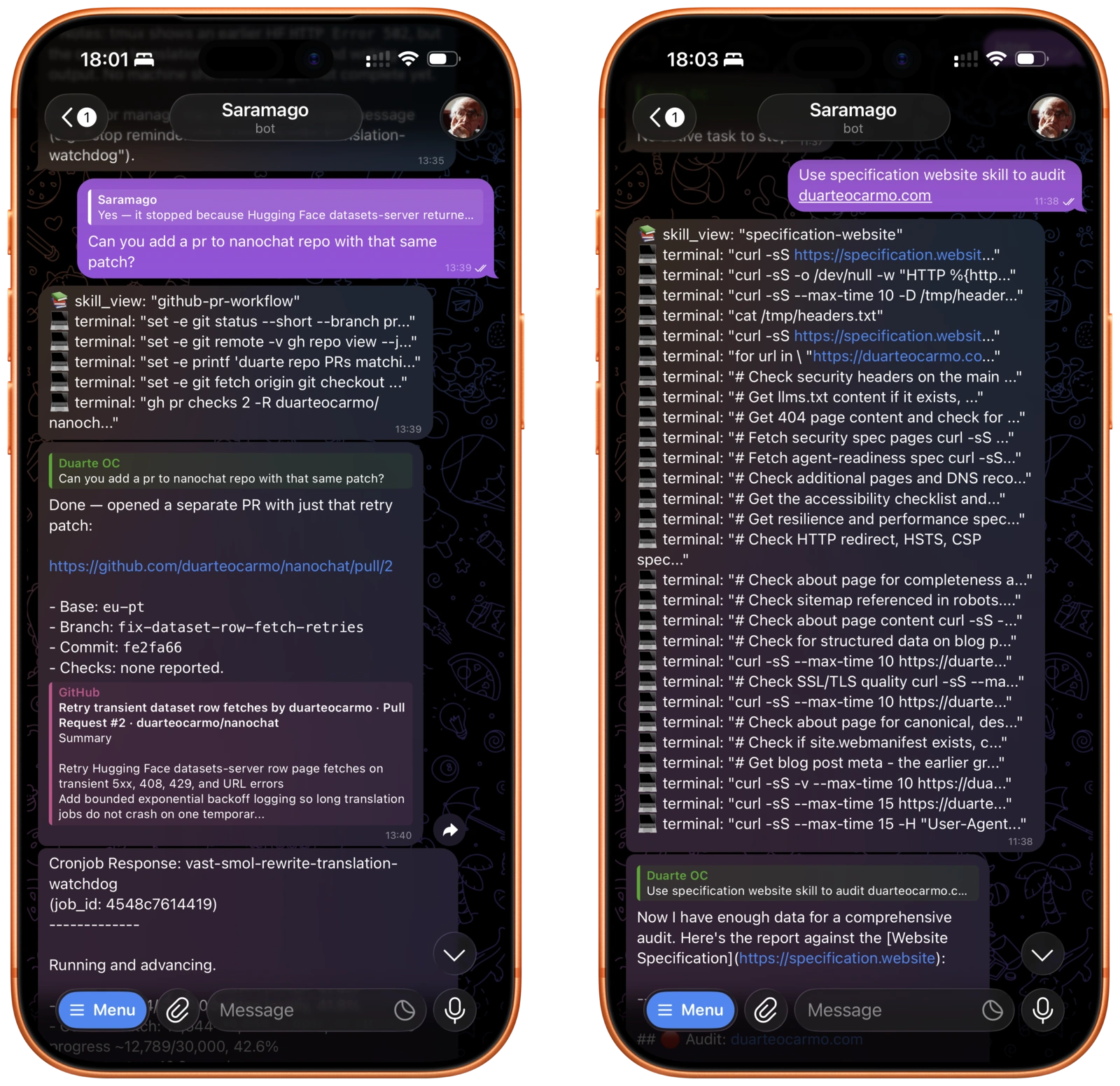
The first use case is the most obvious one. Having Hermes is a bit like having a [insert your favourite coding agent here] that is available 24/7 on the go. I don't use it when I need to do especially deep work. But it's very nice for small annoyances while I am on the go. It has access to the GitHub CLI and a GitHub CLI skill so it can interact with any repo. So whenever I want to fix a broken pipeline, a typo on this blog, a small fix - it just creates a PR and sends me a link for review.
Use case 2: Setting dynamic/reactive reminders
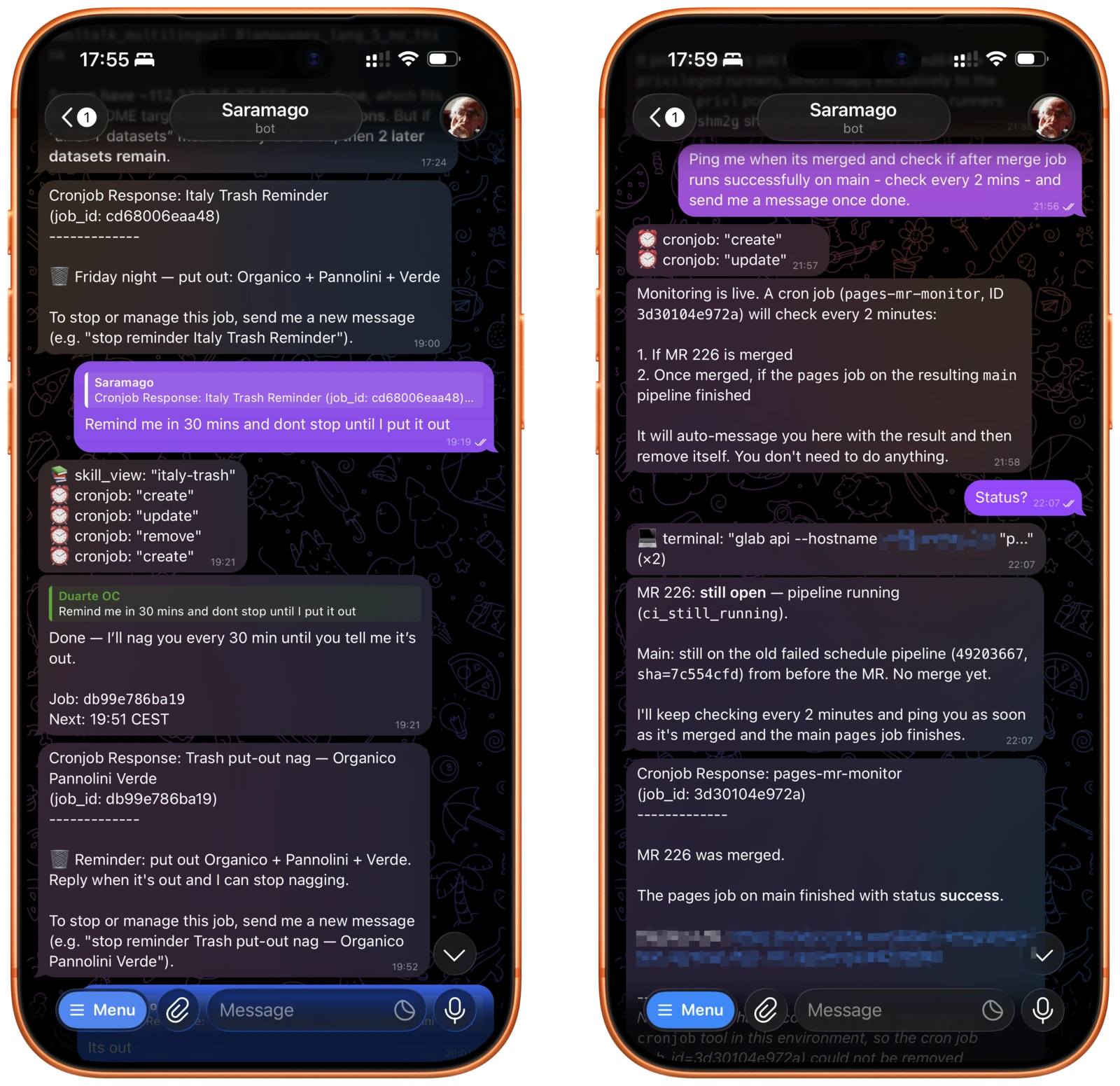
I'm a big TickTick user. It's my go-to todo app. It runs my life. But there is a certain type of reminder that TickTick is just not able to do.
Some examples:
- "Remind me to pack up my rain jacket if it rains outside tomorrow"
- "Remind me which type of trash to bring outside for pickup tomorrow" - This is complicated, especially in Italy.
- “Remind me to email X if I don’t get that email in my inbox”
Hermes also knows when to stay silent. If it doesn't rain tomorrow it just won't text me, instead of texting me - "Hey - no rain tomorrow". Which is just annoying.
Use case 3: Monitoring long-running jobs
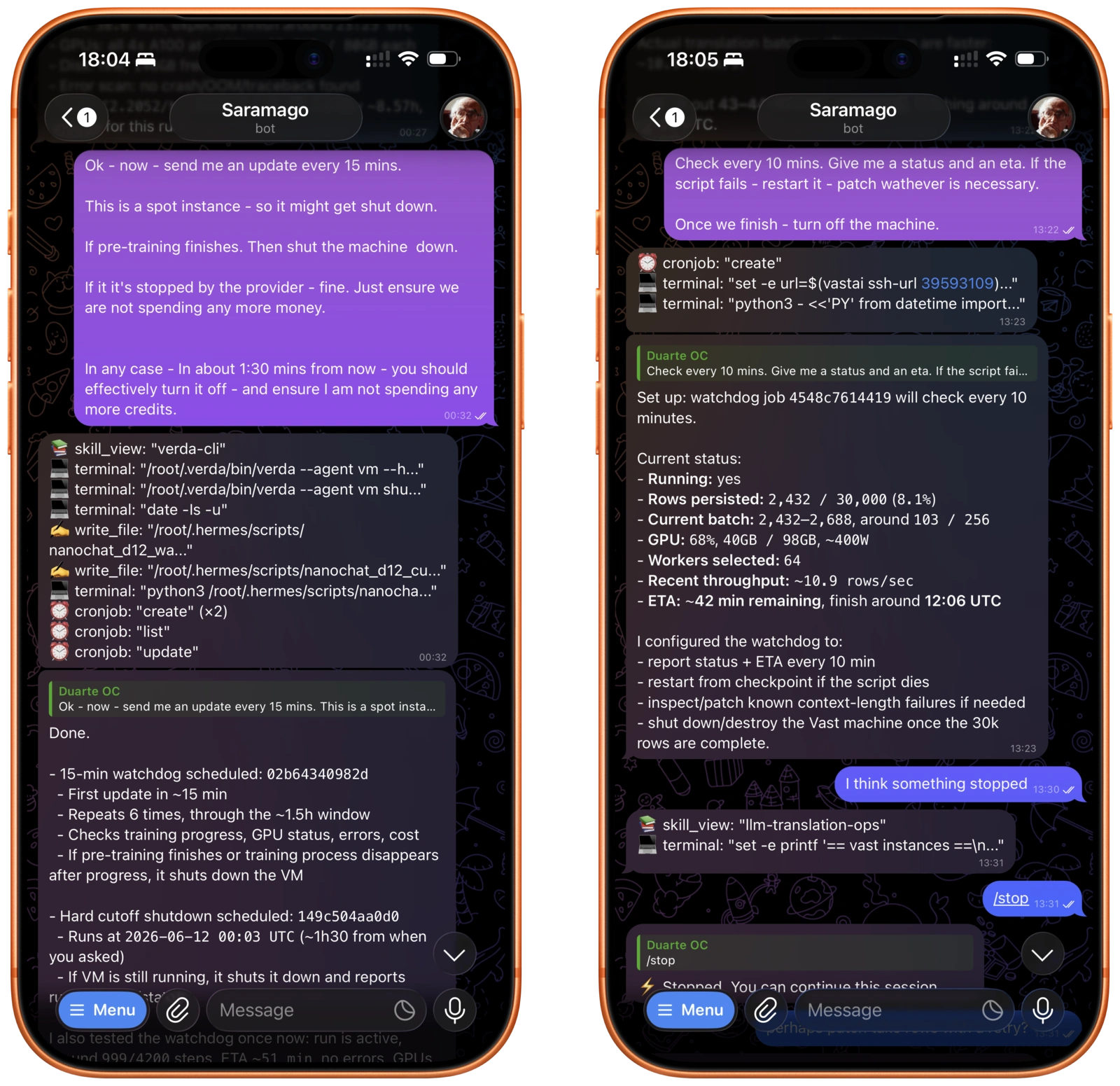
More often than not, I run long-running jobs on remote computers. Sometimes it's a large GPU training run. Sometimes it's a long-running data parsing or enrichment job. Can be anything really.
I used to have to click a browser, ssh into a server, leave tmux open, and see if anything broke. Now - Saramago can do it for me. "SSH into the machine X and give me an update on the running job every 15 mins - turn off the machine when done". By giving access to CLIs/SDKs, like the vast.ai CLI, the whole loop is automated.
Use case 4: Managing my calendar for me
I'm not particularly proud of it. But most of my email runs on Gmail. Saramago has access to the Google Workspace CLI. It can read my email, check my calendar - and interact with both.
This unlocks yet another space for convenient automations. "Check email for the last train trip and add it to my calendar". "Every time a new email comes in - if it mentions a work location - add an all-day event to my calendar". Most of the useful (and not dangerous) things here come from the agent connecting your email to your calendar better than Google does.
Use case 5: Choosing flights
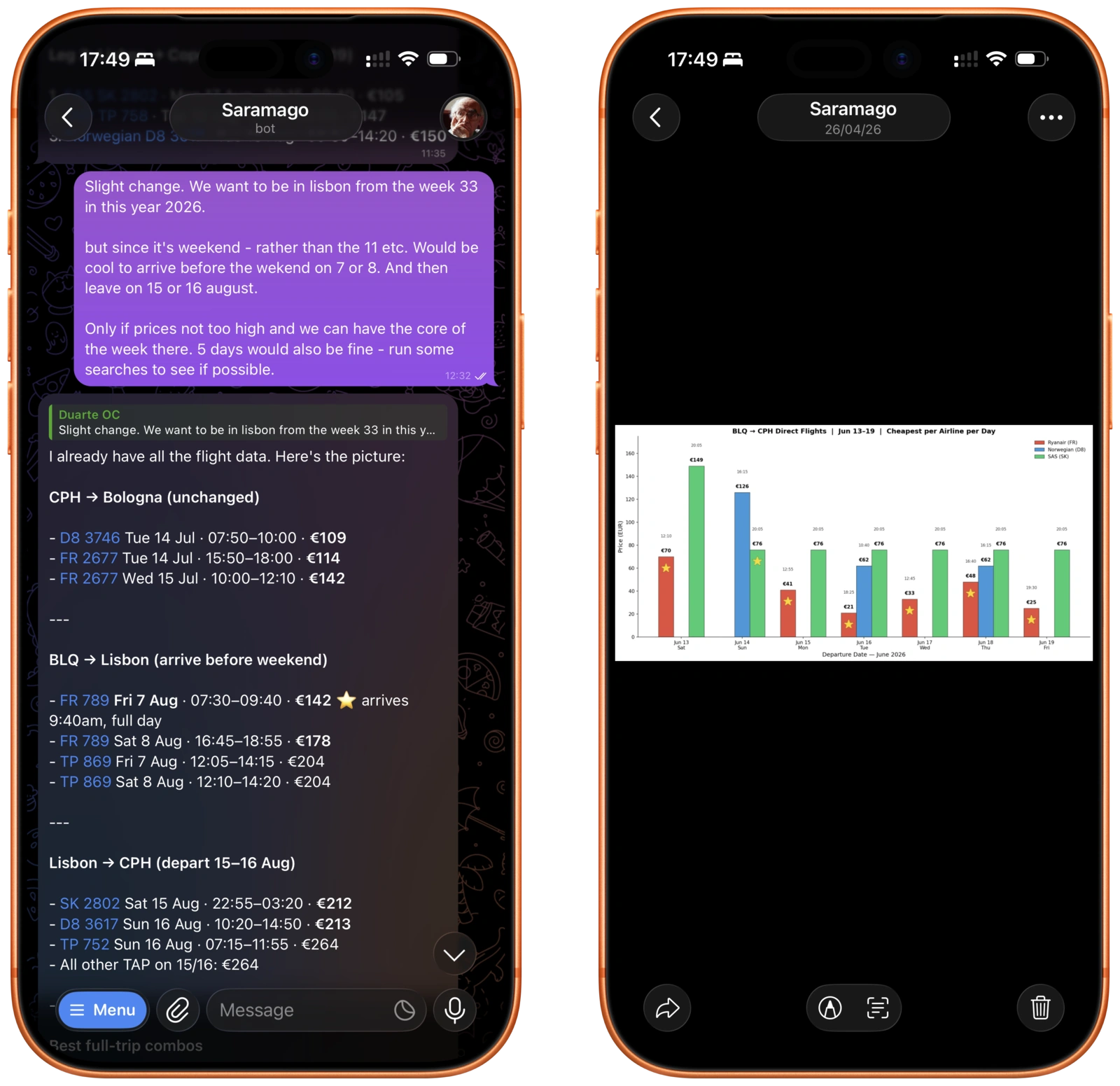
"An agent that books flights for you" is the dream that has been sold to us for many years. An LLM taking pictures of a browser and trying to click around the Google Flights interface has never worked.
But not anymore. Saramago has access to the Google Flights CLI. That means I can search flights on my own terms. I can be as annoying as I want with my peculiar travelling choices. And plot them just the way I like. When it's time to book - I will do it. Much better than any Momondo-like experience.
Use case 6: Writing and brainstorming
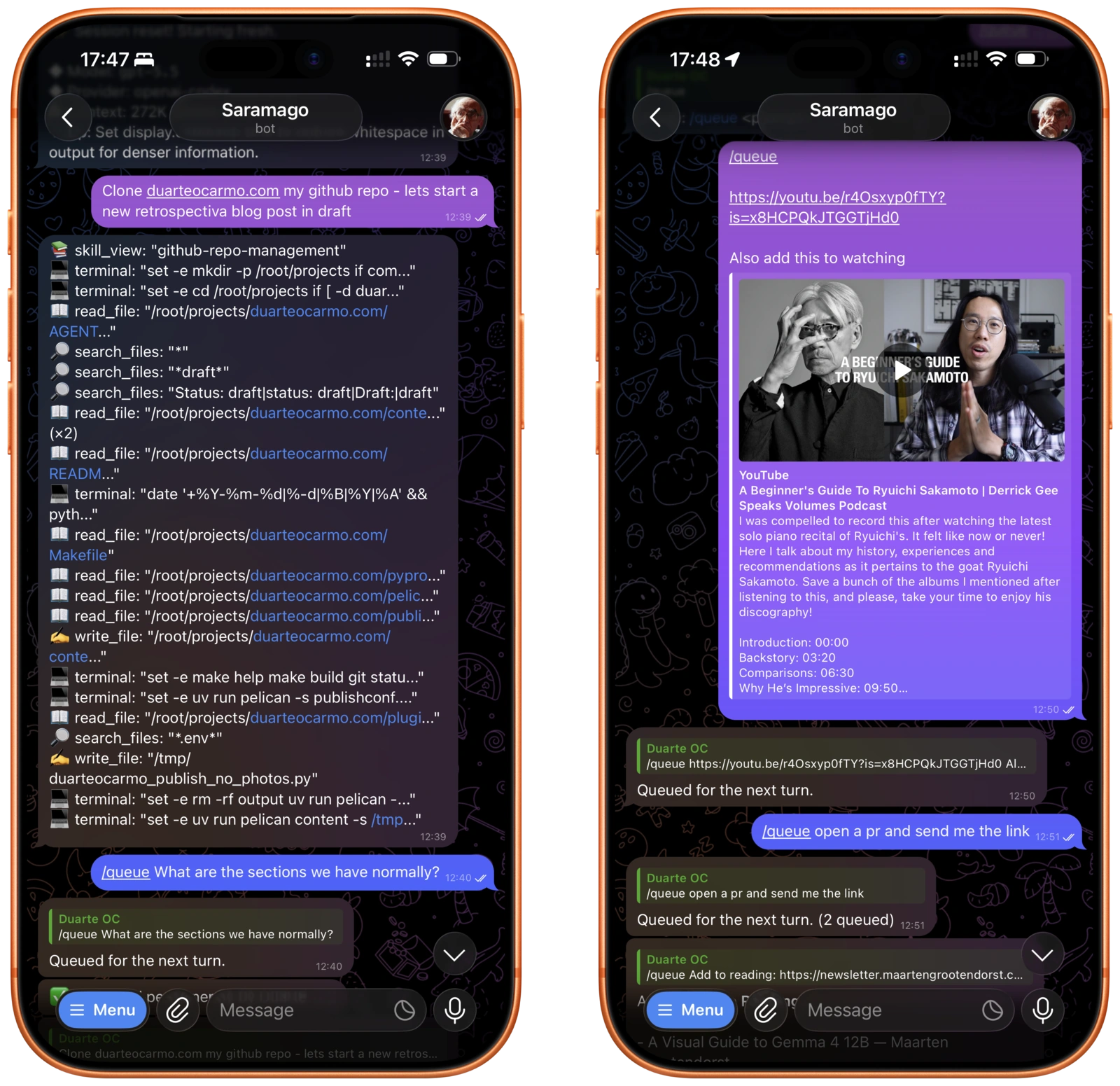
With a kid, I have less and less time in front of the actual computer. Thankfully, I have Saramago. That means that I can do a lot of the prep work on the go, and once I sit down - I can do what matters.
Creating the structure for my blog post, adding the images and figcaptions, the boilerplate, etc. The agent can do that. And I can focus on the writing. Massive productivity booster. With the Telegram API, I can also send a voice message to Saramago, and it will understand. Telegram will transcribe automatically.
Use case 7: Fitness coaching
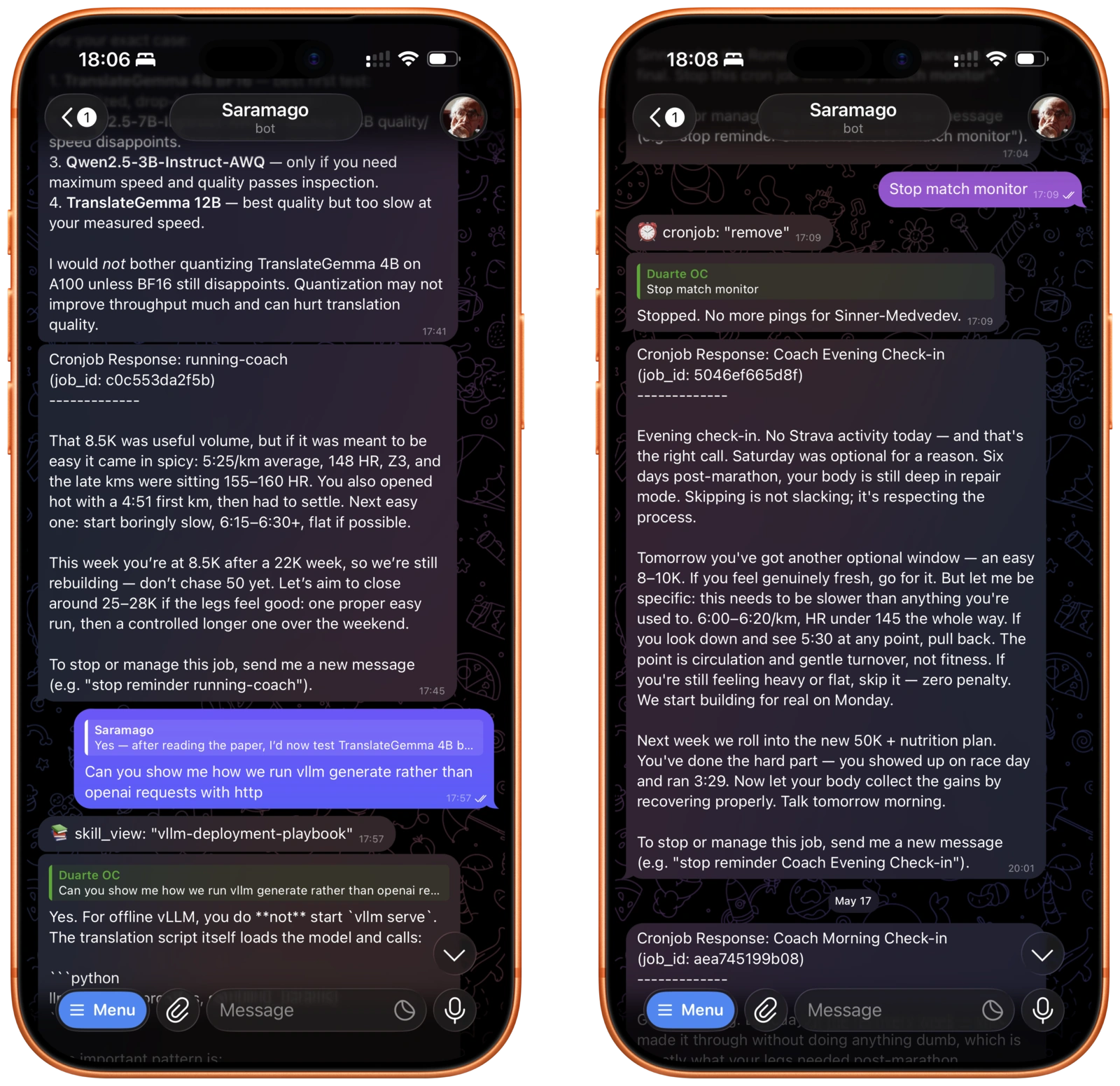
I like running. I have both a Garmin and an Oura ring. I've been on a quest to make Saramago my running coach. Giving me feedback after a run, preparing my next run, managing my running volume - you see what I mean. I think there's something interesting here - in connecting all the different sources of data and delivering them to me with a small text. The best success I've had was using a custom skill I built + the strava-cli. But I'm still not 100% satisfied. There's a good use case there somewhere - but I'm not there yet.
Why Hermes, and not something else?
OpenClaw, NemoClaw, NanoClaw, Nanobot, IronClaw. There are a lot of alternatives out there. So why Hermes? I don't know. It's a bit like asking about tabs vs. spaces or Vim vs. Emacs. I tried 3-4 and nothing really stuck with me - except for Hermes. I didn't notice any feature impairing bugs - which was a good start.
If I had to mention two things: The first is the robust cron jobs + reminders setup. The agent automatically creates jobs, re-runs them at a schedule, knows when NOT to ping you. The second is the automated skill-creation. When the agent does something "complex" it creates a skill for it. Next time it needs to do it - it loads that same skill. It works really well.
There's something great here.
Some say that tools like OpenClaw and Hermes are gigantic piles of vibe-coded slop. And I agree - some of it definitely is. There are bugs here and there. But they're getting more and more fixed. And I like Hermes' Philosophy on this.
But these products are also deeply interesting. They are a tinkerer's dream. With enough time and care, you can really transform them into something insanely useful. It takes time. It takes patience, and a good amount of technical expertise. It reminds me of spending time Jailbreaking my iPhone, or learning about Vim. It's fun!
Not only fun - these tools are also a productivity boost - a small glance into the future. Even the big boys have noticed. Google's Gemini Spark is a good example.
Let's hope they don't ruin it for the rest of us. 1
- I would feel bad if I didn't include a sentence or two about security. So here it is. None of these personal assistants are perfect. They are all vulnerable to the lethal trifecta. Act accordingly. ↩︎